TL;DR
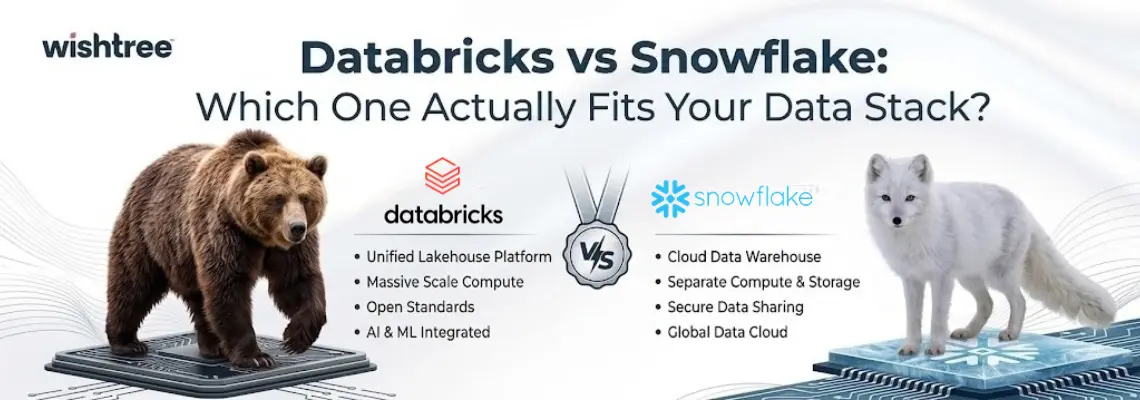
- – Snowflake is a cloud data warehouse built for governed SQL analytics. Choose it if BI, reporting, and business-user concurrency are your primary workloads.
- – Databricks is a data lakehouse built for data engineering, streaming, and machine learning. Choose it if ML/AI, complex pipelines, or open data formats matter to your roadmap.
- – Pricing favors Snowflake at small, sporadic scale and tends to favor Databricks at large scale, but only when your team has the expertise to tune it well. Neither is cheaper by default.
- – Performance is close to a tie for standard SQL analytics. The real gaps show up in concurrency handling (Snowflake), streaming (Databricks), and machine learning (Databricks, by a wide margin).
- – Many organizations run both: Snowflake for governed reporting, Databricks for ML and heavy engineering, connected through data sharing.
The Real Difference Between the Two Pitches
If you’ve spent any time researching cloud data platforms in 2026, you already know the pitch from both sides. Snowflake will tell you it’s the fastest way to get governed, reliable analytics into the hands of your business teams. Databricks will tell you it’s the only platform built for where data, engineering, and AI are actually headed.
Both pitches are true, which is exactly why the decision is hard.
At Wishtree, we work with engineering teams across industries who are either migrating onto one of these platforms, running both, or trying to figure out which one to standardize on. The pattern we see over and over is that companies pick based on brand recognition or a vendor demo, then spend the next year discovering tradeoffs nobody mentioned in the sales call. This guide is meant to prevent that. We’ll walk through how each platform is actually built, where they genuinely differ, what they cost in practice, and how to make the call for your specific workload rather than a hypothetical one.
What Is Snowflake?
Snowflake launched in 2012 with a simple but genuinely disruptive idea: separate storage from compute in the cloud data warehouse. Before Snowflake, you scaled a database by scaling the whole thing, storage and processing power together, whether you needed the extra compute or not.
Snowflake broke that link. Its architecture runs on three layers:
- – Storage layer: data sits in a proprietary, compressed columnar format inside cloud object storage (AWS S3, Azure Blob, or Google Cloud Storage).
- – Compute layer: independent “virtual warehouses” that scale up, scale down, or pause entirely, without touching your stored data.
- – Cloud services layer: manages metadata, query optimization, security, and transactions across the whole platform.
Because these layers don’t depend on each other, you can run five different teams on five different warehouses, sized for their own workloads, without one team’s heavy query slowing down another’s. That separation is still the core reason Snowflake feels predictable to operate, even years after other platforms copied the pattern.
What Is Databricks?
Databricks came out of UC Berkeley’s AMPLab, the same research group that created Apache Spark. Spark is still the processing engine underneath everything Databricks does, but the platform itself has grown into something much bigger: a unified environment for data engineering, analytics, and machine learning built on what Databricks calls the lakehouse.
The lakehouse model rests on a few key pieces:
- – Delta Lake: an open-source storage layer built on Parquet files that adds ACID transactions, schema enforcement, and time travel to data stored in a cloud data lake.
- – Unity Catalog: a unified governance layer for tables, files, ML models, and AI assets across the workspace. We’ve written about how Unity Catalog affects ERP data readiness for AI if you want the deeper version of this.
- – Multi-language compute: the same cluster can run SQL, Python, Scala, and R side by side, which matters a lot once your workloads go beyond straightforward reporting.
Where Snowflake was built to make governed SQL analytics feel effortless, Databricks was built to let data engineers, data scientists, and analysts work against the same open data without constantly exporting it somewhere else.

Databricks vs Snowflake: The Core Architectural Difference
This is really where the whole comparison starts. Snowflake is a data warehouse with a lakehouse-style compute model bolted on. Databricks is a lakehouse with warehouse-style SQL bolted on. Both have converged toward the middle over the past few years, but their starting philosophy still shows up in how each one behaves under real workloads.
Storage Format
- – Snowflake: proprietary micro-partitions, typically 50-500 MB, optimized specifically for Snowflake’s own query engine
- – Databricks: open Delta Lake on Parquet, readable by any engine that supports Delta or Iceberg
- – Practical effect: Databricks data is portable by default. Snowflake data historically wasn’t, though native Apache Iceberg table support and the open-sourced Polaris Catalog have softened that lock-in concern. Most existing Snowflake workloads still run on the native format. For more on why open lakehouse formats matter beyond just Databricks, see why the era of separate data systems is ending.
Compute Model
- – Snowflake: fully isolated virtual warehouses. A heavy query in one warehouse has zero impact on any other warehouse running at the same time
- – Databricks: all-purpose clusters for interactive work, job clusters for scheduled pipelines, and serverless SQL warehouses for BI-style queries, with resources shared across some of these to improve efficiency
- – Practical effect: Snowflake feels more stable under mixed workloads with minimal tuning. Databricks is more flexible but needs more deliberate configuration to avoid resource contention
Access Language
- – Snowflake: SQL-first, which is still its biggest strength for teams whose primary users are analysts rather than engineers
- – Databricks: SQL, Python, Scala, and R in the same workflow, with SQL performance improved significantly via serverless warehouses
- – Practical effect: Snowflake is faster to onboard SQL-only teams. Databricks pulls ahead once your workflows need Python or Scala for ML or complex transformations
Pricing: What Databricks vs Snowflake Actually Costs
Both platforms bill on consumption, but the mechanics differ enough that comparing sticker prices alone will mislead you.
Snowflake: credit-based
- – Roughly $1.50-$4.00 per credit, depending on edition (Standard, Enterprise, Business Critical, or Virtual Private Snowflake) and commitment level
- – Warehouse sizes consume credits at different rates, from about 1 credit/hour (extra-small) up past 8+ credits/hour at the largest sizes
- – Storage runs around $23/TB/month on top of compute
- – Credits are also consumed by serverless features like Snowpipe, materialized views, and search optimization, a common source of “surprise” bills
Databricks: DBU-based, plus infrastructure
- – Priced in DBUs (Databricks Units), which vary by workload type: jobs compute, all-purpose compute, SQL, and serverless
- – Roughly $0.22 for lightweight jobs compute up to about $0.70 for serverless SQL
- – DBU pricing is separate from your cloud bill. You also pay AWS, Azure, or Google Cloud directly for VMs, storage, and networking
- – That infrastructure layer can add another 50-200% on top of the DBU charge, depending on instance choices
So which is cheaper? It genuinely depends on your workload profile.
- For small, sporadic SQL workloads under 1TB, Snowflake’s per-second billing and instant auto-suspend tend to win. There’s very little idle spend.
- For mixed, mid-scale workloads (1-10TB), the gap narrows, and cost outcomes come down almost entirely to how disciplined your team is about warehouse sizing and job scheduling on either platform.
- For large-scale workloads with heavy ML or data engineering (10TB+), Databricks’ economics tend to improve as scale increases, especially when a skilled team is tuning cluster configuration and autoscaling.
A useful way to think about it: Snowflake’s simplicity carries a premium, since automatic optimization and minimal tuning cost something. Databricks can be cheaper at scale, but only if your team has the Spark expertise to configure it well. An unoptimized Databricks environment can burn through budget just as fast, if not faster, than an unoptimized Snowflake one. If cost is the deciding factor for you, it’s worth reading whether your data platform can actually save you money before you commit to either.
Performance: Where Each Platform Wins
Independent benchmarking generally puts the two platforms in a near-tie for standard analytical workloads, dashboards, reporting, and structured SQL queries against clean data. Snowflake’s own numbers show its Gen2 warehouses delivering roughly 2.1x faster performance for core analytics workloads, while Databricks’ Photon engine accelerates SQL and DataFrame workloads by replacing JVM-based Spark execution with a native, vectorized C++ engine. Vendor-published benchmarks tend to favor whoever published them, so we’d treat any single number with some skepticism and test against your own query patterns wherever possible.
That said, a few areas show consistent, real differences:
- – Concurrency: Snowflake’s multi-cluster warehouses add compute automatically as concurrent users increase, with clean isolation and query result caching. Teams with strict concurrency needs, think dozens of analysts hitting dashboards at 9am, generally find this simpler to manage on Snowflake.
- – Cold starts: Snowflake warehouses typically resume in seconds. Databricks SQL warehouses can take longer to spin up fully, though serverless pools reduce that latency considerably.
- – Streaming: Databricks’ Structured Streaming handles complex, stateful stream processing with exactly-once guarantees, writing straight into queryable Delta tables. Snowflake’s Snowpipe Streaming has closed a lot of ground (the high-performance variant now supports up to 10 GB/second ingestion with sub-10-second latency), but it’s still primarily about getting data in quickly rather than transforming it in flight.
- – Machine learning: this is where the platforms diverge most sharply. More on that below.
Machine Learning and AI: The Clearest Divide
If your roadmap includes anything beyond adding AI features to existing dashboards, this section probably matters more than any other in this comparison.
Databricks was built for this:
- – MLflow for native experiment tracking and model lifecycle management
- – Mosaic AI for building RAG applications and custom agents, though governance has to come before autonomy if you’re putting agents on proprietary data
- – Native GPU cluster support for training, plus model serving endpoints for deployment
- – All of it runs against the same data used for analytics, with nothing exported elsewhere
Snowflake’s answer is Cortex AI:
- – LLM functions, anomaly detection, forecasting, and Cortex Analyst for natural-language-to-SQL
- – Strong for augmenting analytics with AI inside a governed SQL environment
- – Runs pre-built, managed models rather than custom-trained ones
The underlying difference: Snowflake runs pre-built models, Databricks lets you train your own. If the goal is “add AI-powered insights to our BI layer,” Snowflake ships faster. If the goal is “build a differentiated ML product,” Databricks is built for that in a way Snowflake currently isn’t.
Databricks vs Snowflake: Quick Comparison Table
| Factor | Snowflake | Databricks |
| Origin | Cloud data warehouse (2012) | Managed Apache Spark platform |
| Architecture | Data warehouse, storage/compute separated | Lakehouse, open Delta Lake storage |
| Primary language | SQL | SQL, Python, Scala, R |
| Best for | Governed BI and SQL analytics | ML, AI, and complex data engineering |
| Data format | Proprietary (with growing Iceberg support) | Open (Parquet/Delta) |
| Pricing unit | Credits | DBUs plus separate cloud infrastructure |
| Concurrency handling | Isolated, automatic scaling | Flexible, requires more tuning |
| ML/AI depth | Cortex AI, managed models | MLflow, custom training, GPU clusters |
| Learning curve | Gentle for SQL-native teams | Steeper, rewards engineering depth |
When to Choose Snowflake
Snowflake tends to be the better fit when:
- – SQL-based analytics make up the large majority of your workloads
- – Business intelligence and reporting are your primary use cases
- – You have many concurrent business users who aren’t engineers
- – Your team wants managed infrastructure with minimal tuning overhead
- – Data sharing across teams, partners, or a marketplace matters to you
When to Choose Databricks
Databricks tends to be the better fit when:
- – Machine learning and data science are central to your roadmap, not an add-on
- – You’re running complex, multi-stage data engineering pipelines
- – You need open data formats to avoid vendor lock-in or support multiple engines
- – Your team has strong Python and Spark skills, or is willing to build them
- – Streaming, GPU-based training, or custom model development are core requirements
Do You Have to Choose Just One?
Not necessarily. A hybrid approach is common and, for many organizations, the most pragmatic answer. We regularly see teams run Snowflake for governed reporting and BI, with Databricks handling the ML and heavy engineering work, connected through Delta Sharing or similar data movement patterns. The tradeoff is added operational complexity: two platforms to govern, monitor, and keep in sync. It’s worth the overhead only if both platforms are pulling real, separate weight in your stack, not if you’re running two tools out of indecision.
This is also where a lot of teams underestimate the real cost of a platform decision. The sticker price rarely reflects what you’ll actually spend once migration effort, retraining, pipeline rework, and ongoing optimization enter the picture. We’ve broken down how to know if a data platform is actually paying off, which is worth a read before you sign anything. If you’re planning a migration in either direction, or trying to decide whether a hybrid setup makes sense for your data volume and team structure, it’s worth getting a second opinion before you commit resources. Our data engineering services team has helped organizations map out exactly this kind of decision, from initial workload assessment through to a working, cost-efficient pipeline on whichever platform actually fits.
Frequently Asked Questions (FAQs)
What is the main difference between Databricks and Snowflake?
Snowflake is a cloud data warehouse built primarily for governed SQL analytics, with storage and compute separated into independently scalable layers. Databricks is a data lakehouse built on open Delta Lake storage, designed for data engineering, analytics, and machine learning to run against the same data using SQL, Python, Scala, or R.
Is Databricks cheaper than Snowflake?
It depends on scale and workload. Snowflake tends to be more cost-effective for small or sporadic SQL workloads because of per-second billing and instant auto-suspend. Databricks tends to become more cost-effective at larger scale, especially for machine learning and heavy data engineering workloads, but only when a team with strong Spark expertise is tuning the configuration.
Can Databricks and Snowflake work together?
Yes. Many organizations run both, using Snowflake for governed BI and reporting while running ML and complex engineering workloads on Databricks, with data moved or shared between the two. This hybrid setup adds operational complexity, so it’s usually worth it only when both platforms are handling meaningfully different, ongoing work.
Which platform is better for machine learning?
Databricks. It supports native GPU training, MLflow for experiment tracking, and custom or fine-tuned model development against the same data used for analytics. Snowflake’s Cortex AI is strong for augmenting analytics with pre-built AI functions, but it isn’t built for training custom models from scratch.
Do I need to know Python to use Databricks?
Not strictly. Databricks’ SQL warehouses have improved significantly and can serve SQL-only analysts well. But the platform’s deeper capabilities, complex pipelines, custom ML, and multi-stage transformations, do require Python or Scala skills to take full advantage of.
The Bottom Line
There’s no universal winner. Snowflake wins on simplicity, governed SQL analytics, and predictable BI performance. Databricks wins on open data formats, machine learning depth, and flexibility for engineering-heavy teams. The right call comes down to your actual workloads today, and where they’re headed next, not which platform has the louder marketing team.
If you’re still weighing the decision, or already know which way you’re leaning and need help executing the migration or build-out well, that’s exactly the kind of problem our data engineering team works through with clients regularly.